

Theese two domains are now seen active around Cryptolocker2 with the Postdanmark/Postnord spamruns:
postdanmarkportal24[.]com
postdanmarkportal24[.]net
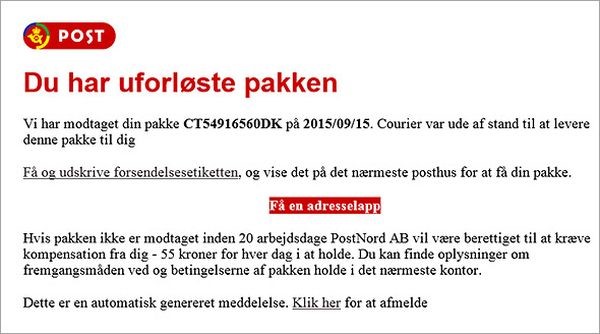
Block theese domains in your spamfilter/dns/firewall as antivirus software have a low detection rate on theese!
You can try to block or limit it, with a Software restiction Policy GPO:
The Software Restriction Policies option can be found in the Local Security Policy editor.
After clicking the New Software Restriction Policies button under Additional Rules, the following Path Rules should be used with “Dissallowed” Security Level, which will limit or even block ransomeware from executing….for know..:
o “%username%\\Appdata\\Roaming\\*.exe”
o “%appdata%\Microsoft\Windows\Start Menu\Programs\Startup\\.*exe”
o C:\\<random>\\<random>*.exe
o “%temp%\\*.exe”
o “%userprofile%\\Start Menu\\Programs\\Startup\\*.exe”
o “%userprofile%\\*.exe”
o “%username%\\Appdata\\*.exe”
o “%username%\\Appdata\\Local\\*.exe”
o “%username%\\Application Data\\*.exe”
o “%username%\\Application Data\\Microsoft\\*.exe”
o “%username%\\Local Settings\\Application Data\\*.exe”
——
If you have been infected and have started the restore from backup or other, you can scan your network for the .ENCRYPTED files and the HOW_TO RECOVER_FILES.TXT and HOW_TO_RECOVER_FILES.HTML with this tool, it’s not a malware tool, just a file scanner for a complete network 🙂
REMEMBER: NOT TO CLICK on the HOW_TO_RECOVER_FILES.HTML file, as it has embedded code that will relaunch the malicious code 🙁
https://www.softperfect.com/products/lspro/

